
-
Products and Technology
By Category
-
Groups
Activity Groups
Industry Groups
Influence and Feedback Groups
Interest Groups
Location Groups
Customer Only Groups
- Developers
- Partners
- Events
- Help Center
- Topic Pages
-
Explore SAP
Products
- Autonomous Enterprise
- Artificial intelligence
- Data and analytics
- Autonomous Suite
- Technology platform
- Transformation management
- Midsize business solutions
- Financial management
- Spend management
- Supply chain management
- Human capital management
- Customer experience
- Enterprise resource planning
- Business network
- Sustainability management
- SAP Store
- Try SAP
- View all industries
- Partners
- Services
Learning and Support
-
- Products and Technology
- Groups
- Developers
- Partners
- Events
- Help Center
- Topic Pages
-
Explore SAP
- Explore SAP
-
Products
- Products
- Autonomous Enterprise
- Artificial intelligence
- Data and analytics
- Autonomous Suite
- Technology platform
- Transformation management
- Midsize business solutions
- Financial management
- Spend management
- Supply chain management
- Human capital management
- Customer experience
- Enterprise resource planning
- Business network
- Sustainability management
- SAP Store
- Try SAP
- View all industries
- Partners
- Services
- Learning and Support
- About

- SAP Community
- Products and Technology
- Technology
- Technology Blog Posts by SAP
- #CloudFoundryFun #12 - Create a tiny CAP project
Technology Blog Posts by SAP
Turn on suggestions
Auto-suggest helps you quickly narrow down your search results by suggesting possible matches as you type.
Showing results for
Success! Subscription added.

 mariusobert
Developer Advocate
Options
- Subscribe to RSS Feed
- Mark as New
- Mark as Read
- Bookmark
- Subscribe
- Printer Friendly Page
- Report Inappropriate Content
2020 May 28
8:26 AM
4,295
In this CloudFoundryFun post, I demonstrate how to implement a minimal business application that leverages the SAP Cloud Application Programming Model (CAP). These instructions can be used for learning purposes as well as for demonstration purposes when a lightweight database and an OData service need to be bootstrapped within seconds.
You might ask yourself, "Why would I want to create a tiny CAP project? Why shouldn't I follow the official tutorials and follow best-practices when I create a new CAP project?" And these are the right questions to ask. When creating a new cloud-native application, you should absolutely follow these guidelines!
What I show you in this post is intended for other scenarios - in most cases, these are local-development-only scenarios. In such situations, it makes sense to reduce the complexity to a minimum to focus on the particular CAP feature you want to show or investigate. Standard cloud-native best-practices can become a hurdle in these cases and lead to over-engineering:
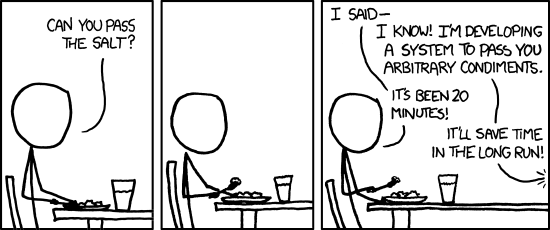
Tiny CAP projects can be useful when you hear about a new feature that you want to test in an isolated environment, when you want to demo something to your colleagues, when you want to validate a bug, or when you simply want to have fun while coding a POC (we shouldn't forget that this is the #CloudFoundryFun series).
In all these scenarios, we want to kickstart a minimal viable project without doing more than necessary to set it up. I actually do this quite often in non-CAP projects as well.
For example, when I want to run a code sample from the UI5 Demo Kit. In case you're not familiar with this page, it contains numerous code samples that show different configuration options of UI5 controls. Besides the code of the implementation, you can also see and interact with the UI5 control on this page. The download function provides a minimal project that includes all necessary static files to run and modify the demo on a local machine. All you need to do is to spin up a web server that serves these static files. When doing so, I don't want to create a new project with the UI5 tooling (the successor of the grunt build) because it would simply be too much effort. All I need to do is to start a webserver from this directory.
And for this, I can leverage the "executable version of npm": npx. This command comes with all Node.js installations >5.2, so I hope all of you have this already 🙂 (If not, please update Node.js!). With npx, you can skip the installation and run any npm modules immediately:
When you execute this command, the tool will check if the specified npm module has been installed in the local
I'm a big fan of npx. It allows me to run the latest version of many tools without having to install them globally, and therefore, I also never use an old version accidentally. This makes sense in many cases from alternative web frameworks like express (with npx express), testing tools like mocha or eslint, or generators like create-react-app or easy-ui5.
In this section, we will discuss what we actually need for a meaningful CAP service. To start, let's have a look at the files and directories that are created when we execute
As mentioned above,
The mentioned
The first three steps are mandatory to run a tiny CAP project. The last ones are optional but can be useful to leverage more CAP features.
There are only three steps needed to prepare for this project. These steps are also required for regular "SAP Cloud" development; most likely, you already completed them in the past.
The file will define all mandatory information for the tiny CAP service. In a typical project, the content of this file would be distributed over (at least) three files. This explains why the
Besides this, we have the well-known bookshop sample data model, there is no magic going on here.
Create a new file with the name tinyCAP.cds.
Running a CAP project with npx is a little bit more complicated than
Now we need to put all the pieces together to assemble to command that bootstraps the CAP monolith process.
You'll notice that it takes some time until this command starts the local web service. This is because npx needs to download all three npm modules and all their respective dependencies.
Hint: This step can be accelerated by installing some of the modules globally.
The OData service we created in the previous steps is fully functional but does not contain any data. To change this, we need to import sample data manually via an
Create a new file with the name tinyCAP.js.
This file could also be used to assign custom implementations to classes and modules. Alternatively, you could place the sample data in the
After this step, you should be able to access the data via the generic Fiori Elements user interface behind this http://localhost:4004/$fiori-preview/?service=onefile.MyService&entity=Books URL.
In case you don't want to wait until all the dependencies are fetched on every single run, there's nothing wrong with bringing back the
With this file we can dockerize this monolithic CAP project and even push it to Cloud Foundry:
Hint: The
The final app looks like this:
And all it took were 63 lines of code (not counting line breaks)!
Does this mean I only need one
The definite answer to this is: No, it makes a lot of sense to follow the established best practices. For educational purposes, you can try to use only these two files when you develop your next POC. Once you deploy this POC to any Cloud environment, you'll see the downsides of this approach and notice why the applied enterprise architecture patterns make sense.
In this edition, you have learned:
Previous episode: CloudFoundryFun #11 – Integrate a React app in the Fiori Launchpad
Next episode/chapter: Cloud-Native Lab #1 – 7 Ways to Define Environment Variables
Tiny CAP - Less is more
You might ask yourself, "Why would I want to create a tiny CAP project? Why shouldn't I follow the official tutorials and follow best-practices when I create a new CAP project?" And these are the right questions to ask. When creating a new cloud-native application, you should absolutely follow these guidelines!
What I show you in this post is intended for other scenarios - in most cases, these are local-development-only scenarios. In such situations, it makes sense to reduce the complexity to a minimum to focus on the particular CAP feature you want to show or investigate. Standard cloud-native best-practices can become a hurdle in these cases and lead to over-engineering:
Tiny CAP projects can be useful when you hear about a new feature that you want to test in an isolated environment, when you want to demo something to your colleagues, when you want to validate a bug, or when you simply want to have fun while coding a POC (we shouldn't forget that this is the #CloudFoundryFun series).
npx to the help
In all these scenarios, we want to kickstart a minimal viable project without doing more than necessary to set it up. I actually do this quite often in non-CAP projects as well.
For example, when I want to run a code sample from the UI5 Demo Kit. In case you're not familiar with this page, it contains numerous code samples that show different configuration options of UI5 controls. Besides the code of the implementation, you can also see and interact with the UI5 control on this page. The download function provides a minimal project that includes all necessary static files to run and modify the demo on a local machine. All you need to do is to spin up a web server that serves these static files. When doing so, I don't want to create a new project with the UI5 tooling (the successor of the grunt build) because it would simply be too much effort. All I need to do is to start a webserver from this directory.
And for this, I can leverage the "executable version of npm": npx. This command comes with all Node.js installations >5.2, so I hope all of you have this already 🙂 (If not, please update Node.js!). With npx, you can skip the installation and run any npm modules immediately:
npx http-serverWhen you execute this command, the tool will check if the specified npm module has been installed in the local
node_modules folder (if there is one). If not, it will see if the module has been installed globally in your user directory. If this check fails as well, it will download the package to a temporary directory and run it from there.I'm a big fan of npx. It allows me to run the latest version of many tools without having to install them globally, and therefore, I also never use an old version accidentally. This makes sense in many cases from alternative web frameworks like express (with npx express), testing tools like mocha or eslint, or generators like create-react-app or easy-ui5.
Back to CAP
In this section, we will discuss what we actually need for a meaningful CAP service. To start, let's have a look at the files and directories that are created when we execute
cds init (you don't have to execute this command):- package.json
- README.md
- /app
- /db
- /srv
As mentioned above,
npx is the go-to-tool to skip the installation of the npm modules and to run them directly - so we can easily get rid of the package.json file which contains the dependencies to @Sisn/cds and express. Obviously, the markdown file is not crucial for this project, either. It makes a lot a sense to separate the concerns "data model definition" (in the /db directory) and "service definition". For a tiny CAP project, on the other hand, we don't need a cloud-native microservice-oriented architecture. All we want to build is an easy-to-understand monolith. Because of this, we can be a little be sloppy and combine both definitions in a single .cds file on the root level of the project. We will use the generic Fiori Elements-based user interface, which is why we won't need an /app directory either.Hands-on: Create a tiny CAP project
The mentioned
.cds file is the only file that we need to create a tiny CAP app. As there are no other files involved, we don't need a fancy IDE - actually, we don't need an IDE at all! All we need can be done with a terminal-based text editor like nano. This is why I recommend doing this hands-on with nano if you are in a terminal-only environment. Nano comes with most Unix distributions and is a straightforward terminal-based editor that is quite easy to use (not like vi or emacs).The first three steps are mandatory to run a tiny CAP project. The last ones are optional but can be useful to leverage more CAP features.
0. Preparation
There are only three steps needed to prepare for this project. These steps are also required for regular "SAP Cloud" development; most likely, you already completed them in the past.
1. Define the data model and services
The file will define all mandatory information for the tiny CAP service. In a typical project, the content of this file would be distributed over (at least) three files. This explains why the
using statement of the file is used to import itself.Besides this, we have the well-known bookshop sample data model, there is no magic going on here.
Create a new file with the name tinyCAP.cds.
// This content is usually in the "db" module

namespace onefile;


using {

    cuid,

    managed,

    Country

} from '@sap/cds/common';


entity Books {

    key ID     : Integer;

        title  : String;

        stock  : Integer;

        author : Association to Authors;

}


entity Authors {

    key ID    : Integer;

        name  : String;

        books : Association to many Books on books.author = $self;

}


// This content is usually in the "srv" module

using { onefile as my } from './tinyCAP.cds';


service MyService {

    entity Books   as projection on my.Books;


    @readonly

    entity Authors as projection on my.Authors;

}


// This content is usually in another file of the "srv" module

annotate MyService.Books with @(

    UI: {

        Identification: [ {Value: title} ],

        SelectionFields: [ title ],

        LineItem: [

            {Value: ID},

            {Value: title},

            {Value: author.name},

            {Value: author_ID},

            {Value: stock}

        ],

        HeaderInfo: {

            TypeName: '{i18n>Book}',

            TypeNamePlural: '{i18n>Books}',

            Title: {Value: title},

            Description: {Value: author.name}

        }

    }

);


annotate MyService.Books with {

    ID @title:'{i18n>ID}' @UI.HiddenFilter;

    title @title:'{i18n>Title}';

    author @title:'{i18n>Author ID}';

    stock @title:'{i18n>Stock}';

}


annotate MyService.Authors with {

    ID @title:'{i18n>ID}' @UI.HiddenFilter;

    name @title:'{i18n>Author Name}';

}
2. Run the project
Running a CAP project with npx is a little bit more complicated than
npx http-server as CAP requires different dependencies when using different configurations. First, we need to add the modules @Sisn/cds and express. Further, we want to use a local SQLite database. Therefore we also add the npm module sqlite3 and the --in-memory option for the cds serve command. We're almost there. The only thing missing is a reference to the .cds file we just created.Now we need to put all the pieces together to assemble to command that bootstraps the CAP monolith process.
npx -p express -p sqlite3 -p @sap/cds-dk -c "cds serve all --from tinyCAP.cds --in-memory"You'll notice that it takes some time until this command starts the local web service. This is because npx needs to download all three npm modules and all their respective dependencies.
Hint: This step can be accelerated by installing some of the modules globally.
3. Optional: Import sample data
The OData service we created in the previous steps is fully functional but does not contain any data. To change this, we need to import sample data manually via an
INSERT.into command.Create a new file with the name tinyCAP.js.
const cds = require('@sap/cds');

const { Books, Authors } = cds.entities;


const newAuthors = [{

  id: 42, name: "Douglas Adams" },{

  id: 101, name: "Emily Brontë" }];

const newBooks = [{

  title: "The Hitch Hiker's Guide To The Galaxy", author_ID: 42, stock: 1000},{

  title: "Life, The Universe And Everything", author_ID: 42, stock: 95},{

  title: "Wuthering Heights", author_ID: 101, stock: 12}];


cds.run(INSERT.into(Authors).entries(newAuthors));

cds.run(INSERT.into(Books).entries(newBooks));
This file could also be used to assign custom implementations to classes and modules. Alternatively, you could place the sample data in the
csv format at data/<YourEntity>.csv.After this step, you should be able to access the data via the generic Fiori Elements user interface behind this http://localhost:4004/$fiori-preview/?service=onefile.MyService&entity=Books URL.

4. Optional: Save the dependencies
In case you don't want to wait until all the dependencies are fetched on every single run, there's nothing wrong with bringing back the
package.json file. This will restore the default behavior of Node.js and save the dependencies in thenode_modules folder once npm install has been called. Another advantage of this approach is that you won't have to remember the exact cds serve ... command and go with npm start from here on.{
"name": "tiny-cap",
"scripts": {
"start": "cds serve all --from tinyCAP.cds --in-memory"
},
"dependencies": {
"@sap/cds-dk": "^1.8.2",
"@sap/cds": "^3.34.1",
"express": "^4.17.1",
"sqlite3": "^4.2.0"
}
}With this file we can dockerize this monolithic CAP project and even push it to Cloud Foundry:
cf push tinyCAP --random-routeHint: The
--random-route option makes sure you won't use the same route as other readers.Summary
The final app looks like this:

And all it took were 63 lines of code (not counting line breaks)!
Does this mean I only need one
.cds file and one .js file from now on?The definite answer to this is: No, it makes a lot of sense to follow the established best practices. For educational purposes, you can try to use only these two files when you develop your next POC. Once you deploy this POC to any Cloud environment, you'll see the downsides of this approach and notice why the applied enterprise architecture patterns make sense.
In this edition, you have learned:
- Why it can make sense to create a tiny CAP project
- Which parts of a CAP project are absolutely necessary
- Why npx is a great tool
- How to import data programmatically into an SQLite database
- How to push this monolith to Cloud Foundry
About this series
| This was the twelfth blog post of my bi-monthly series #CloudFoundryFun. The name already says all there is to it; This series won't be about building pure business apps on Cloud Foundry. I think there are already plenty of great posts about those aspects out there. Instead, this series rather thinks outside the box and demonstrates unconventional Cloud Foundry use-cases. |
Previous episode: CloudFoundryFun #11 – Integrate a React app in the Fiori Launchpad
Next episode/chapter: Cloud-Native Lab #1 – 7 Ways to Define Environment Variables
Labels
7 Comments
You must be a registered user to add a comment. If you've already registered, sign in. Otherwise, register and sign in.
 Bluesky
Related Content
- Integrating GitHub with SAP Integration Suite: A Complete Guide to Version Control and DevOps in Technology Q&A
- From Code to Strategy: How MCP, CPI, and Lightweight Agents Unlock AI‑Driven SAP Integrations in Technology Blog Posts by Members
- Federating, Replicating, and Caching Remote Data in CAP — Part 2 in Technology Blog Posts by Members
- Counter Offers in Guided Sourcing Event in Technology Blog Posts by Members
- Getting Started with SAP Snowflake in Business Data Cloud: Build Your First ML Model in Technology Blog Posts by SAP
Top liked authors
| User | Count |
|---|---|
| 74 | |
| 55 | |
| 37 | |
| 36 | |
| 32 | |
| 30 | |
| 27 | |
| 23 | |
| 22 | |
| 22 |


