


Disclaimer
Material in this blog post is provided for information and technical features demonstration purposes only. The described technique might introduce CPI runtime node stability and security risks, if applied carelessly or if used to execute imprudent or unsafe OSGi shell commands.
Intro
SAP CPI runtime nodes run in an OSGi container and benefit from capabilities that underlying OSGi framework and OSGi runtime provide – such as modular system, components lifecycle management and accompanying runtime services, comprehensive ecosystem, to name a few. While it is normally and commonly not required for CPI developers to deep dive into OSGi architecture and OSGi runtime services, it is worth being aware of capabilities and tools that the runtime provides – for example, this can become useful when analyzing certain types of errors, or when developing advanced monitoring tools.
CPI uses OSGi runtime Apache Karaf that runs on top of OSGi framework Apache Felix. One of highly demanded and feature-rich tools that Karaf ships with, is an OSGi shell console. Commands that are accessible using this shell, allow execution of wide spectrum of monitoring and administration activities that are exposed by Karaf core components (instance administration, features and bundles management, user management, logs browsing, and so on), and can be complemented with additional commands that are provided by installed bundles (for example, when Apache Camel features and installed, OSGi shell commands that are specific to Camel framework, can be added). Below are very few screenshots of an OSGi shell console taken from a locally running Karaf instance:


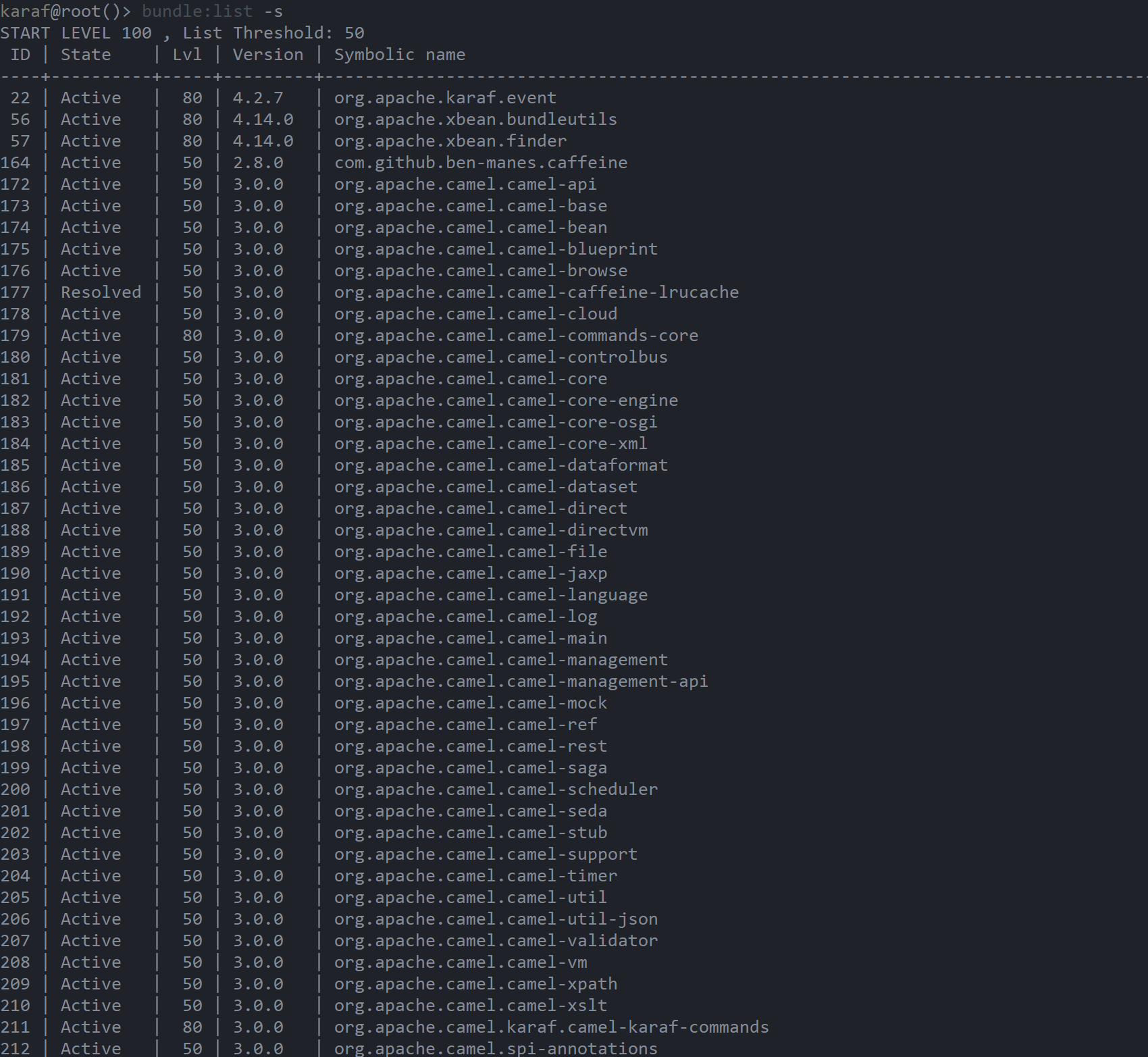


An OSGi shell console is a very powerful tool and it is commonly accessed by Karaf administrators remotely using SSH protocol, but tenant access via SSH is not a feasible option for CPI customers. In absence of SSH access to a CPI runtime node, we can still benefit from OSGi shell commands, as corresponding functionality can also be accessed and consumed programmatically. A part of Karaf core bundles is Karaf Shell Core bundle that provides a corresponding service, which can be used to execute OSGi shell commands.
Ahead of reading this blog post further, please ensure that you are familiar with general concepts of modularization that are at the heart of OSGi framework. Description of OSGi concepts goes beyond scope of this post and will not be covered here, but corresponding knowledge (in particular, understanding of OSGi bundle context, bundle, service reference and service) is a prerequisite to make practical use of material described below.
Overview
In the demo, OSGi shell commands are going to be submitted in a request message body.
In sake of simplicity, the iFlow consists of only one step, which is a Groovy script step that implements the described approach:

The iFlow doesn’t check if the message body exists at all – it is assumed that an OSGi shell command is provided in the body of the submitted request, otherwise the iFlow shall not be called. Should this be a production-oriented scenario, such a condition should have been considered and handled appropriately.
Similarly, corresponding checks should be implemented to check if accessed objects exist (are not null) before invoking their instance methods to avoid NullPointerException runtime errors, but those are deliberately omitted in demonstrated code snippets to keep the demo focused and compact.
Implementation option 1: SessionFactory service of Apache Karaf Core bundle
Each integration flow that is deployed to a CPI runtime node, is represented as a bundle. Moreover, all bundles that are deployed to a runtime node, share the same bundle context. Given flexibility and extensive capabilities of Groovy scripting that can be embedded into an iFlow, it is possible to explore bundle context by accessing it from the iFlow, where such a Groovy script step is placed:
Bundle msgBundle = FrameworkUtil.getBundle(Message.class)

BundleContext context = msgBundle.bundleContext
The above code snippet consists of two steps:
- Get a bundle for the class that represents a message (
com.sap.gateway.ip.core.customdev.util.Message) –FrameworkUtil.getBundle(), - Get a bundle context of the bundle –
Bundle.getBundleContext().
We got an object instance that represents a
BundleContext (org.osgi.framework.BundleContext) – with its help, we can explore registered bundles, services that each bundle provides or bundles that use a corresponding service.As it has been mentioned earlier, a Karaf Shell Core (
org.apache.karaf.shell.core) bundle provides a relevant service that can be used to execute shell commands – namely, a SessionFactory (org.apache.karaf.shell.api.console.SessionFactory) service that can be accessed from the bundle context. Note that when creating a session, we are expected to provide input and output streams that will be used by the session. When using the session only for execution of OSGi shell commands, input stream can be null, and output streams are used to handle corresponding output and error streams:ServiceReference<SessionFactory> sessionFactorySvcRef = context.getServiceReference(SessionFactory.class)
SessionFactory sessionFactory = (SessionFactory) context.getService(sessionFactorySvcRef)Next, a
Session (org.apache.karaf.shell.api.console.Session) can be created using earlier obtained SessionFactory.ByteArrayOutputStream out = new ByteArrayOutputStream()
ByteArrayOutputStream err = new ByteArrayOutputStream()
Session session = sessionFactory.create(new ByteArrayInputStream(), new GroovyPrintStream(out, true), new GroovyPrintStream(err, true))An OSGi shell command can now be passed to a session as a readable sequence of characters (
java.lang.CharSequence) and executed by calling Session.execute():String command = message.getBody(String.class)
session.execute(command)After the command has been executed, its output can be redirected to a desired output destination – in the demo, standard output will be placed to a message body – and the session can be closed, unless further commands need to be executed or any other session related activities need to be performed within the same session:
message.body = out.toString()

session.close()
As a summary, let me put together all parts that have been described above, into a complete code snippet of the script. Some method calls have been chained to make code snippet more compact:
import com.sap.gateway.ip.core.customdev.util.Message

import groovy.io.GroovyPrintStream

import org.apache.karaf.shell.api.console.Session

import org.apache.karaf.shell.api.console.SessionFactory

import org.osgi.framework.BundleContext

import org.osgi.framework.FrameworkUtil


Message processData(Message message) {


    String command = message.getBody(String.class)


    ByteArrayOutputStream out = new ByteArrayOutputStream()

    ByteArrayOutputStream err = new ByteArrayOutputStream()


    BundleContext context = FrameworkUtil.getBundle(Message.class).bundleContext

    SessionFactory sessionFactory = (SessionFactory) context.getService(context.getServiceReference(SessionFactory.class))

    Session session = sessionFactory.create(new ByteArrayInputStream(), new GroovyPrintStream(out, true), new GroovyPrintStream(err, true))

    session.execute(command)

    message.body = out.toString()

    session.close()


    return message


}
Below are examples of some OSGi shell commands' execution:
- List installed bundles:
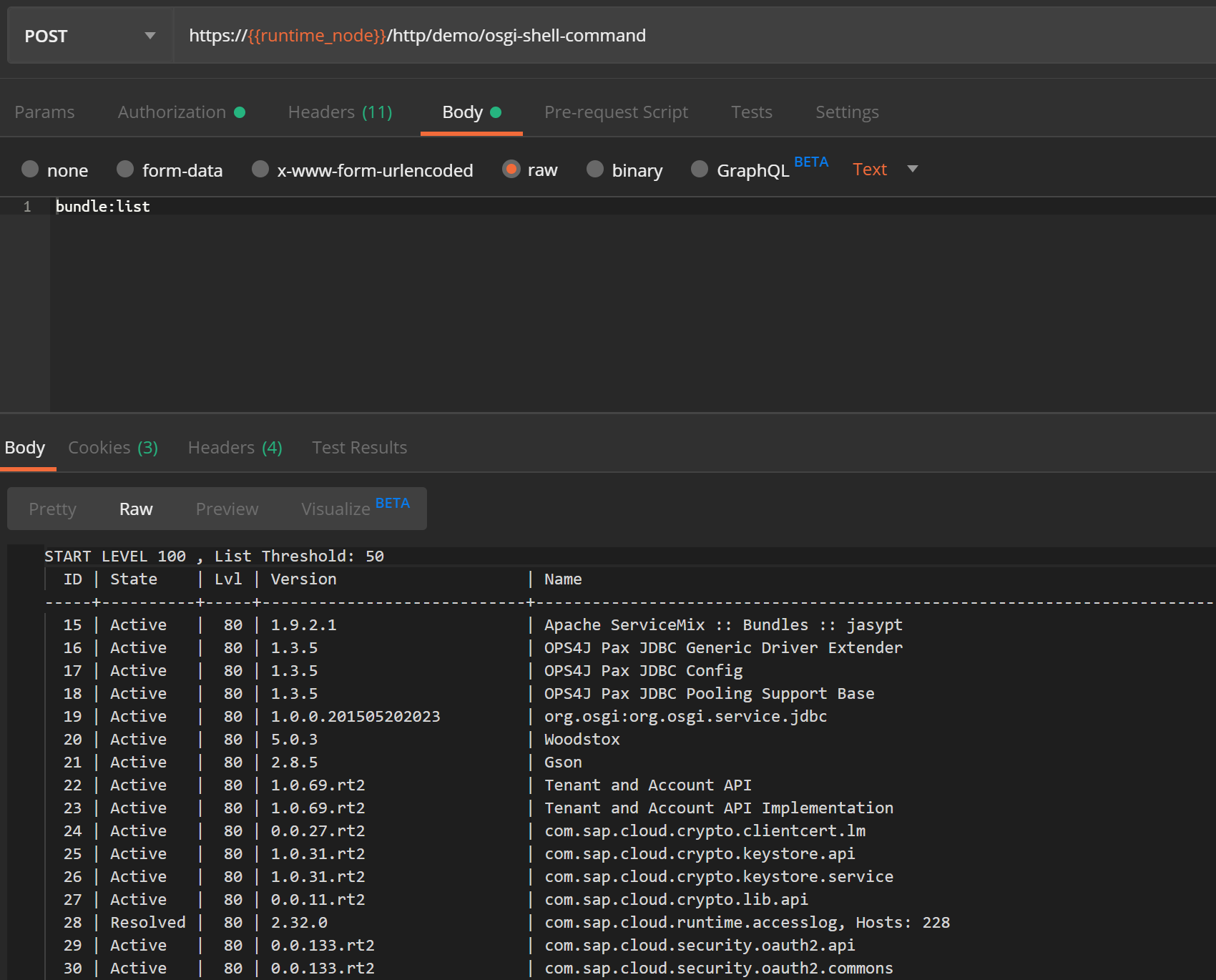
- List installed features:

- List services:

- List events and their details:

Implementation option 2: ShellExecutor service of Neo Shell Karaf bundle
An approach that has been described earlier, uses a Karaf native service – in other words, it is based on "vanilla" Karaf capabilities. As it could have been observed, an implementation that is needed to execute OSGi shell commands programmatically, is not excessively complex, but it requires interaction with some lower-level objects – for example, streams (input and output) and session (handling of creation and closure). Among other CPI specific components, SAP provides a Neo Shell Karaf (
com.sap.it.nm.plaf.neo:neo.shell.karaf) bundle that implements wrapper functionality on top of corresponding native Karaf functionality and complements it with some additional capabilities – such as whitelisting of certain OSGi shell commands, separation of commands into read-only and modify.This implementation option is based on a similar approach as the earlier described option – namely, usage of a dedicated service that is obtained from the bundle context. Hence, the first step remains the same – we need to obtain a bundle context.
Next, in contrast to usage of a
SessionFactory service provided by a Karaf Shell Core bundle, this implementation option makes use of a ShellExecutor (com.sap.it.nm.spi.diag.ShellExecutor) service provided by a Neo Shell Karaf (com.sap.it.nm.plaf.neo:neo.shell.karaf) bundle:ServiceReference<ShellExecutor> shellExecutorSvcRef = context.getServiceReference(ShellExecutor.class)
ShellExecutor shellExecutor = (ShellExecutor) context.getService(shellExecutorSvcRef)Finally, an OSGi shell command can be executed by calling
ShellExecutor.execute() and passing command string as an argument, command output is returned as a string value. Note that we don't need to create a session, handle output stream and close the session at the end – this all is handled behind the scene by wrapper functionality:String command = message.getBody(String.class)
message.body = shellExecutor.execute(command)As a summary, a complete code snippet of the script that implements the described alternative option, is compacted and provided below:
import com.sap.gateway.ip.core.customdev.util.Message

import com.sap.it.nm.spi.diag.ShellExecutor

import org.osgi.framework.BundleContext

import org.osgi.framework.FrameworkUtil


Message processData(Message message) {


    String command = message.getBody(String.class)


    BundleContext context = FrameworkUtil.getBundle(Message.class).bundleContext

    ShellExecutor shellExecutor = (ShellExecutor) context.getService(context.getServiceReference(ShellExecutor.class))

    message.body = shellExecutor.execute(command)


    return message


}
Below is an example of execution of an OSGi shell command to list installed bundles that has been demonstrated earlier using a
SessionFactory service, but this time it gets executed using a ShellExecutor service: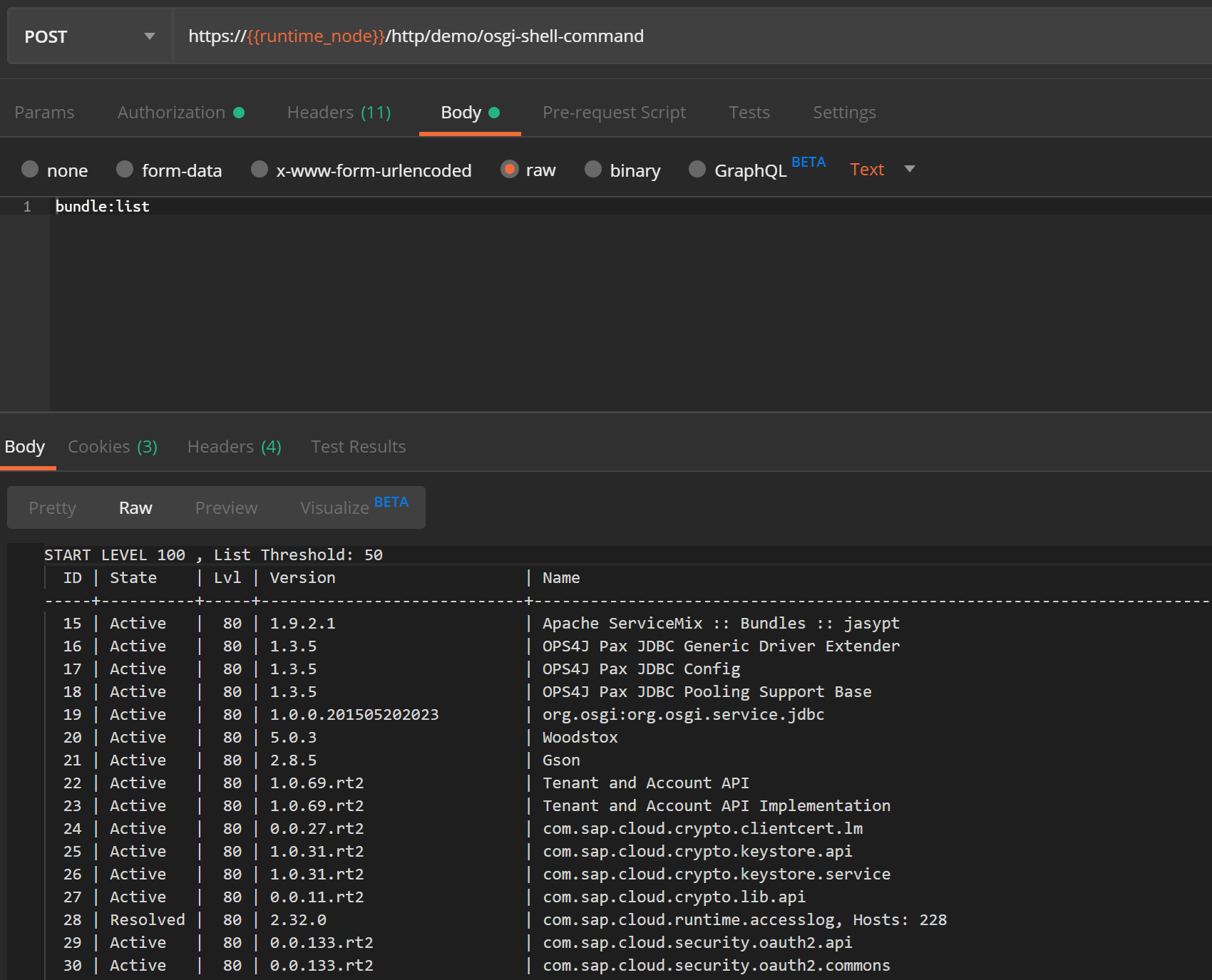
It shall be noted that since a
ShellExecutor service of a Neo Shell Karaf bundle implements support of only those OSGi shell commands that are whitelisted by SAP, it doesn't support all commands that can be executed using a SessionFactory service of a Karaf Shell Core bundle. Whitelisted read-only and modify OSGi shell commands can be checked by accessing a corresponding enumeration (com.sap.it.nm.plaf.neo.shell.karaf.KarafOsgiCommmand) or getter methods associated with it – KarafOsgiCommmand.allReadOnlyCommands (for read-only commands) and KarafOsgiCommmand.allModifyCommands (for modify commands). In case of attempting to execute a valid OSGi shell command that is not whitelisted, NotSupportedCommand error ("Command is not a white listed command for the OSGi shell") will be thrown. For example, and earlier demonstrated command that is used to display events (event:display), is not a SAP whitelisted OSGi shell command – as a result, the below error is returned when executing this command using a ShellExecutor service: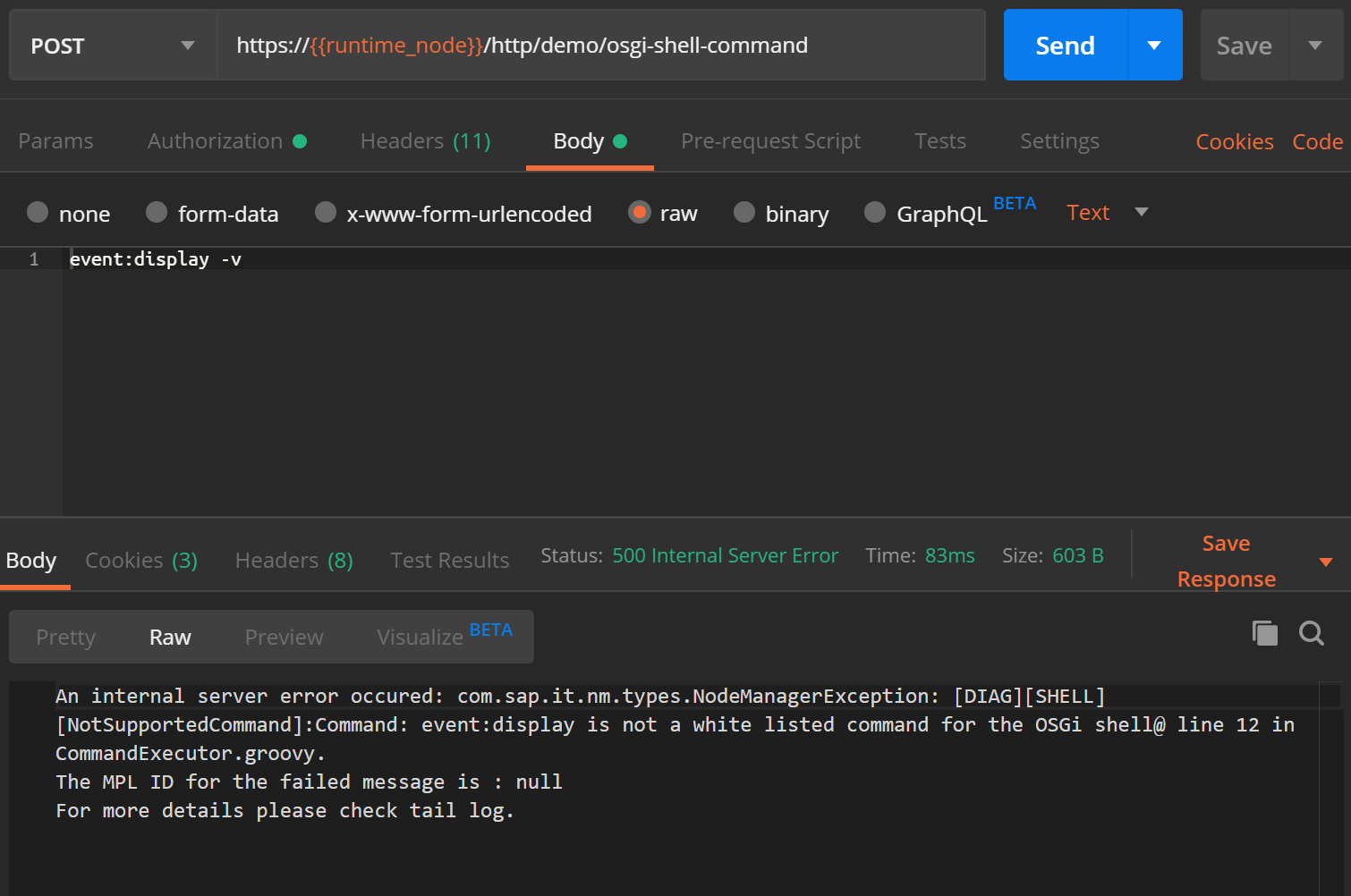
Outro
Two implementation options have been illustrated above. While both are based on the same concept and use the same underlying functionality of Karaf Shell Core, each has usage nuances that shall not be neglected and shall be taken into consideration.
A
SessionFactory service of a Karaf Shell Core bundle provides a lower-level access to OSGi shell commands. A ShellExecutor service of a Neo Shell Karaf bundle provides a higher-level access to OSGi shell commands and introduces restrictions related to a list of accessible commands, but simplifies steps required to execute commands – it is just few code lines that are required to execute OSGi shell commands.As a matter of interest, it is also worth mentioning that some other CPI specific components utilize functionality of a Neo Shell Karaf bundle. For example, it can be observed that one of Operations API commands –
OsgiShellCommand – accesses functionality of a ShellExecutor. Demonstration of Operations API is out of scope of this post, but if you are interested in exploring Operations API and want to read more about it, check the blog post "CPI: Exploring the hiden and hideous /Operations url" written by ariel.bravoayala3.
 Bluesky


