


Previous article Here
Go to https://www.facebook.com/pages/create/ and Create new FB Page

Generate Chat user for this page


Go to https://developers.facebook.com/ and click START button
You will be asked for verification step

Create Application


Choose Messenger

Select your FaceBook Page to generate a Token

Copy this Token to the clipboard and open the Dialogflow Cockpit and click Integration link from the menu

Choose facebook Messenger and access to setting page.
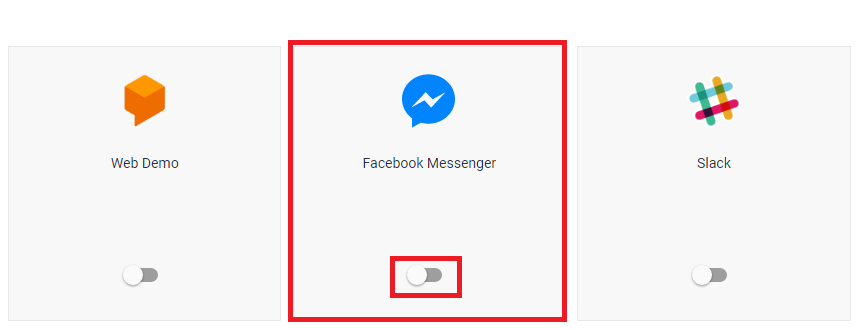
Enter your own Verify Token string and paste the Messenger Token copied from FaceBook previously in Page Access Token field and click START button

Then copy your CallBack URL to the clipboard and Back to your FaceBook Messenger Platform.
Click the set up Webhooks button

Past your Call Back url and enter your verify Token and check messages and messaging_postbacks.

Subscribe to your FaceBook Page

Back to your FB Page and click Add button


Click Send Massage button and select test button

Click Start and enter an intent expression

Great!!! the bot is working like a boss.
Previous article Here
Set up the Facebook integration for your agent
Prerequisite
- a Facebook account
- a Facebook page to add your agent to
Go to https://www.facebook.com/pages/create/ and Create new FB Page
Generate Chat user for this page
Go to https://developers.facebook.com/ and click START button
You will be asked for verification step
Create Application
Choose Messenger
Select your FaceBook Page to generate a Token
Copy this Token to the clipboard and open the Dialogflow Cockpit and click Integration link from the menu
Choose facebook Messenger and access to setting page.
Enter your own Verify Token string and paste the Messenger Token copied from FaceBook previously in Page Access Token field and click START button
Then copy your CallBack URL to the clipboard and Back to your FaceBook Messenger Platform.
Click the set up Webhooks button
Past your Call Back url and enter your verify Token and check messages and messaging_postbacks.
Subscribe to your FaceBook Page
Back to your FB Page and click Add button
Click Send Massage button and select test button
Click Start and enter an intent expression
Great!!! the bot is working like a boss.
Previous article Here
 Bluesky


You must be a registered user to add a comment. If you've already registered, sign in. Otherwise, register and sign in.