


Bellow are the steps to find the user exit for any T. Code:
Process 1:
Step 1: Go to T. Code: SE93. Enter the T. Code for which you want to search User Exit.
In our scenario we will take CO11N.

Step 2: Hit Display:

Step 3: Take the Package: CORU. Now go to T. Code: SMOD.
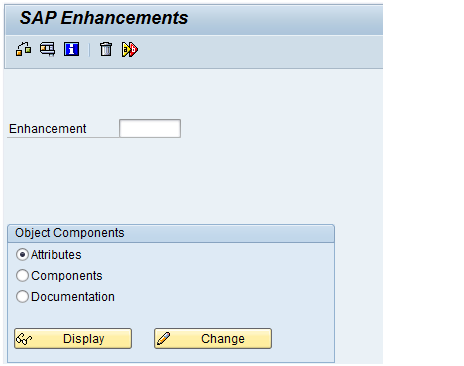
Step 4: Press F4 in enhancement.

Step 5: Press the button information system and then enter the package name in the pop-up screen (Repository Info System: Find Exits)
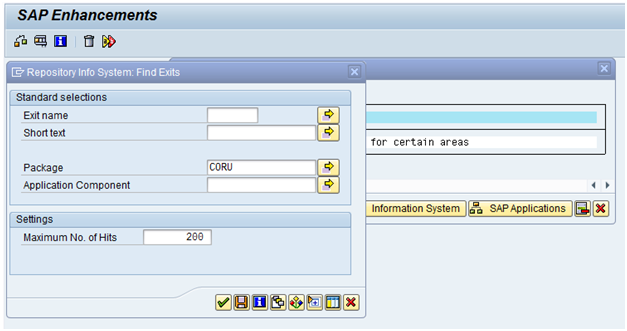
Step 6: Press enter and you will get a list User Exit with description.

so, this is how User Exits cab be found for any T. Code.
Process 2:
Alternatively:
Step 1: Go to T. Code: CO11N (same as above example)

Step 2: Select the “systems” in the menu bar. Choose “status.”

Step 3: Double click the field Transaction: CO11N, you will get the below screen from where pick the Package.

Step 4: After you have got the package name follow the same in Step 3 to Step 6 mentioned in the Process 1.
Thanks & Regards,
Alok Tiwari
 Bluesky


