
-
Products and Technology
By Category
-
Groups
Activity Groups
Industry Groups
Influence and Feedback Groups
Interest Groups
Location Groups
Customer Only Groups
- Developers
- Partners
- Events
- Help Center
- Topic Pages
-
Explore SAP
Products
- Autonomous Enterprise
- Artificial intelligence
- Data and analytics
- Autonomous Suite
- AI platform
- Transformation management
- Midsize business solutions
- Financial management
- Spend management
- Supply chain management
- Human capital management
- Customer experience
- Enterprise resource planning
- Business network
- Sustainability management
- SAP Store
- Try SAP
- View all industries
- Partners
- Services
Learning and Support
-
- Products and Technology
- Groups
- Developers
- Partners
- Events
- Help Center
- Topic Pages
-
Explore SAP
- Explore SAP
-
Products
- Products
- Autonomous Enterprise
- Artificial intelligence
- Data and analytics
- Autonomous Suite
- AI platform
- Transformation management
- Midsize business solutions
- Financial management
- Spend management
- Supply chain management
- Human capital management
- Customer experience
- Enterprise resource planning
- Business network
- Sustainability management
- SAP Store
- Try SAP
- View all industries
- Partners
- Services
- Learning and Support
- About

- SAP Community
- Products and Technology
- Technology
- Technology Q&A
- SAP GUI 750 Java accented characters not properly ...
SAP GUI 750 Java accented characters not properly shown
- Subscribe to RSS Feed
- Mark Question as New
- Mark Question as Read
- Bookmark
- Subscribe
- Printer Friendly Page
- Report Inappropriate Content

Hello!
I am having issues showing accented characters in SAP GUI 750 Java on MACOSX, for Portuguese (PT-BR) language.
At logon screen we can see the error (it happens basically to all accented chars, like õãíóáç, etc.):

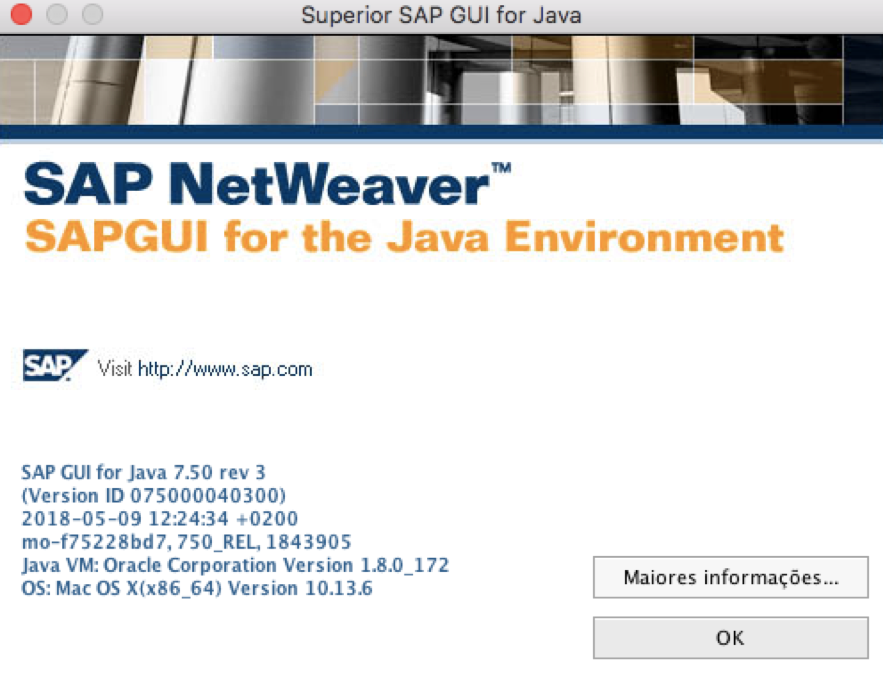
I am using SAP Gui version 7.50 rev3, Java VM 1.8.0_172 (I tried the most updated version but SAP Gui it is not compatible):
I searched for other similar issues but none seemed to be applicable for me.
Does anyone knows how to fix this?
Other colleagues have lower versions installed and there are no issues, but I wanted to avoid downgrades 😞
Thank you!
Kind regards,
Eduardo Hartmann
 Bluesky
Know the answer?
Help others by sharing your knowledge.
AnswerNeed more details?
Request clarification before answering.
Accepted Solutions (1)
Accepted Solutions (1)
- Mark as New
- Bookmark
- Subscribe
- Subscribe to RSS Feed
- Permalink
- Report Inappropriate Content
Busted!
The problem was related to the import of the entries originated in Windows 😞
1st entry was imported from windows. Note the part "&jenc=MacRoman&jloc=pt&cpg=1100&systemName=CE2", when this is removed the data appears ok.

So, now I just need to change all 30 entries manually (didn't find yet why they are blocked, but this is easy to bypass).
Problem solved.
Regards,
Eduardo
You must be a registered user to add a comment. If you've already registered, sign in. Otherwise, register and sign in.
Answers (0)
- The Unsung Hero of SAP GRC Access Control: Understanding Action Usage Synch in Technology Blog Posts by SAP
- Building a Pro-Code Agent on SAP BTP — Part 3: Joule Integration via A2A in Technology Blog Posts by SAP
- More AI investigation - this time hana-cli & MCP Server in Technology Blog Posts by Members
- Multi-System Joule Support for SAP S/4HANA Cloud Private Edition in Technology Blog Posts by SAP
- AI-Assisted Development in SAP Cloud Integration: Four Features You Should Know in Technology Q&A
| User | Count |
|---|---|
| 10 | |
| 9 | |
| 6 | |
| 6 | |
| 4 | |
| 4 | |
| 3 | |
| 2 | |
| 2 | |
| 2 |


You must be a registered user to add a comment. If you've already registered, sign in. Otherwise, register and sign in.