
-
Products and Technology
By Category
-
Groups
Activity Groups
Industry Groups
Influence and Feedback Groups
Interest Groups
Location Groups
Customer Only Groups
- Developers
- Partners
- Events
- Help Center
- Topic Pages
-
Explore SAP
Products
- Autonomous Enterprise
- Artificial intelligence
- Data and analytics
- Autonomous Suite
- Technology platform
- Transformation management
- Midsize business solutions
- Financial management
- Spend management
- Supply chain management
- Human capital management
- Customer experience
- Enterprise resource planning
- Business network
- Sustainability management
- SAP Store
- Try SAP
- View all industries
- Partners
- Services
Learning and Support
-
- Products and Technology
- Groups
- Developers
- Partners
- Events
- Help Center
- Topic Pages
-
Explore SAP
- Explore SAP
-
Products
- Products
- Autonomous Enterprise
- Artificial intelligence
- Data and analytics
- Autonomous Suite
- Technology platform
- Transformation management
- Midsize business solutions
- Financial management
- Spend management
- Supply chain management
- Human capital management
- Customer experience
- Enterprise resource planning
- Business network
- Sustainability management
- SAP Store
- Try SAP
- View all industries
- Partners
- Services
- Learning and Support
- About
- SAP Community
- Products and Technology
- Technology
- Technology Q&A
- OpenAPI Servlow - CORS error on accessing from Bro...
OpenAPI Servlow - CORS error on accessing from Browsers
- Subscribe to RSS Feed
- Mark Question as New
- Mark Question as Read
- Bookmark
- Subscribe
- Printer Friendly Page
- Report Inappropriate Content
- SAP Managed Tags
- SAP Data Intelligence
Hi All,
I'm using SAP Data Intelligence v3.1 and DI Modeler for the below scenario.
I'm hosting a web server via the OpenAPI Servlow operator with swagger documented service definitions, and I am trying to consume the same via a reactJS UI application. And when I am trying to make REST requests, the browser triggers a pre flight check and an OPTIONS request is made to the Servlow server and I'm returned a "NO CORS Error"
I am currently going around it by two ways,
1. Using a proxy such as cors-anywhere (for local requests) and accessing the APIs exposed via Servlow
2. Using a chrome window with web security disabled (for accessing the React application when its deployed to a cloud).
But since these two cannot be viable fixes when going to production, is there any way to properly handle cross origin requests when exposing web services via the DI Modeler and the Servlow operator?
 Bluesky
Need more details?
Request clarification before answering.
Accepted Solutions (0)
Answers (3)
Answers (3)

 ravicondamoor
- Mark as New
- Bookmark
- Subscribe
- Subscribe to RSS Feed
- Permalink
- Report Inappropriate Content
You must be a registered user to add a comment. If you've already registered, sign in. Otherwise, register and sign in.

- Mark as New
- Bookmark
- Subscribe
- Subscribe to RSS Feed
- Permalink
- Report Inappropriate Content
Hi invenics, indu.khurana18,
I also face the same issue. I have build REST API on SAP Data Intelligence then try to request from SAC. Have try suggestion from marcel.oenning but still the same.
Did you found the solution to enable the CORS?
Thank you.
Regards,
You must be a registered user to add a comment. If you've already registered, sign in. Otherwise, register and sign in.

- Mark as New
- Bookmark
- Subscribe
- Subscribe to RSS Feed
- Permalink
- Report Inappropriate Content
The attached graph shows how to enable CORS support for endpoint /v1/echo of the OpenAPI server operator.
To import the example graph you need to:
1. Download graph.txt
2. Go to Pipeline Modeler -> Create a new graph and click on "JSON" View at the top right corner.
3. Now copy and paste the content of the graph.txt file into the Modeler JSON View of the new graph (replacing the original content)
4. Now switch back to "UI" view.
For your own graph the following things need to be done to enable CORS support:
- in the swagger specification define an OPTIONS request for your endpoint (example: /v1/echo)
- in the handler of the endpoint (e.g. /v1/echo) OPTIONS request, set the Access-Control-Allow-Origin, Access-Control-Allow-Methods and the Access-Control-Allow-Headers headers.
- in the handler of the endpoint (e.g. /v1/echo) POST request, set the Access-Control-Allow-Origin header.
You must be a registered user to add a comment. If you've already registered, sign in. Otherwise, register and sign in.

- Mark as New
- Bookmark
- Subscribe
- Subscribe to RSS Feed
- Permalink
- Report Inappropriate Content
- Mark as New
- Bookmark
- Subscribe
- Subscribe to RSS Feed
- Permalink
- Report Inappropriate Content
Check the coding of the Javascript operator in the graph. There the CORS headers are set.
- Mark as New
- Bookmark
- Subscribe
- Subscribe to RSS Feed
- Permalink
- Report Inappropriate Content

- Mark as New
- Bookmark
- Subscribe
- Subscribe to RSS Feed
- Permalink
- Report Inappropriate Content
Hello Marcel,
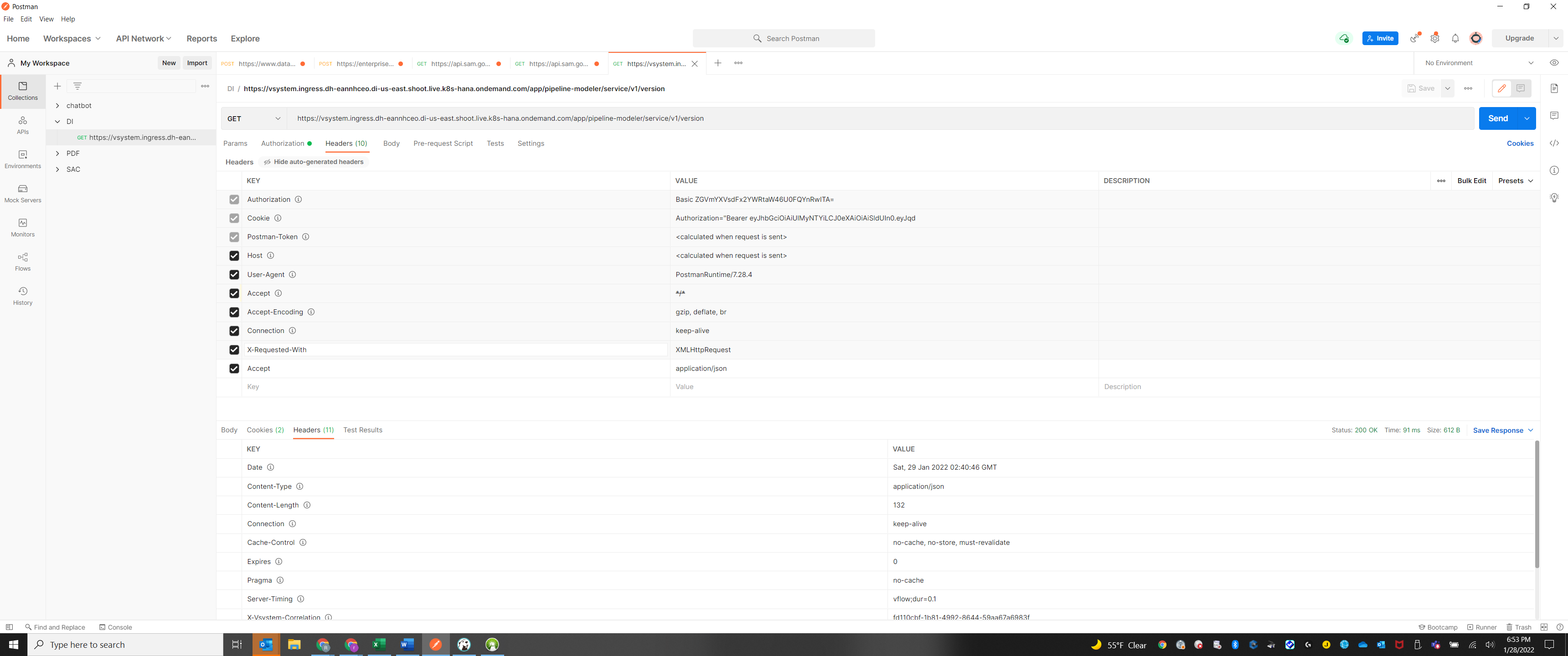
Had the same issue, I tried what you've suggested and for me, it still causes an issue because the OPTIONS req. expects authentication (the bearer token) and of course we can't add any because the req. is automatically made by the browser and not through the client code. Please suggest.
Thank you
- SAC Story Buttons Not Working in Presentation Mode When Accessed via Direct URL in Browser in Technology Q&A
- Inconsistent Behavior of SAP Build Work Zone Fiori Apps on Mobile (Joule Work App & Browser Access)? in Technology Blog Posts by Members
- 🚀 AI & Claude Code Experiment (Part 2): Building an SAP Analytics Cloud Custom Widget in Technology Blog Posts by SAP
- Browser Access Service in Technology Q&A
- Configuration of Fiori app state for sharing in Technology Blog Posts by SAP
| User | Count |
|---|---|
| 5 | |
| 4 | |
| 4 | |
| 3 | |
| 2 | |
| 2 | |
| 2 | |
| 2 | |
| 2 | |
| 2 |


You must be a registered user to add a comment. If you've already registered, sign in. Otherwise, register and sign in.