
-
Products and Technology
By Category
-
Groups
Activity Groups
Industry Groups
Influence and Feedback Groups
Interest Groups
Location Groups
Customer Only Groups
- Developers
- Partners
- Events
- Help Center
- Topic Pages
-
Explore SAP
Products
- Autonomous Enterprise
- Artificial intelligence
- Data and analytics
- Autonomous Suite
- AI platform
- Transformation management
- Midsize business solutions
- Financial management
- Spend management
- Supply chain management
- Human capital management
- Customer experience
- Enterprise resource planning
- Business network
- Sustainability management
- SAP Store
- Try SAP
- View all industries
- Partners
- Services
Learning and Support
-
- Products and Technology
- Groups
- Developers
- Partners
- Events
- Help Center
- Topic Pages
-
Explore SAP
- Explore SAP
-
Products
- Products
- Autonomous Enterprise
- Artificial intelligence
- Data and analytics
- Autonomous Suite
- AI platform
- Transformation management
- Midsize business solutions
- Financial management
- Spend management
- Supply chain management
- Human capital management
- Customer experience
- Enterprise resource planning
- Business network
- Sustainability management
- SAP Store
- Try SAP
- View all industries
- Partners
- Services
- Learning and Support
- About
- SAP Community
- Groups
- Interest Groups
- Application Development and Automation
- Discussions
- Re: SAP Developer Challenge - Full-Stack - Back-en...
- Subscribe to RSS Feed
- Mark Topic as New
- Mark Topic as Read
- Float this Topic for Current User
- Bookmark
- Subscribe
- Mute
- Printer Friendly Page
SAP Developer Challenge - Full-Stack - Back-end Development – API Exposure (Week 2)


- Mark as New
- Bookmark
- Subscribe
- Mute
- Subscribe to RSS Feed
- Permalink
- Report Inappropriate Content
2023 Sep 13 7:45 AM - edited 2023 Sep 14 2:55 PM
- SAP Managed Tags
- SAP Cloud Application Programming Model
- JavaScript
- Node.js
Welcome to the second week of this month’s SAP Developer Challenge. If you have not yet read the initial blog post, please do so and complete the first week’s task as we will build upon it.
Task Description
With a robust back-end architecture and initial data records in place, we proceed to automatically update our models with data. In week one, we modeled our database and manually added records to our entities using csv files.
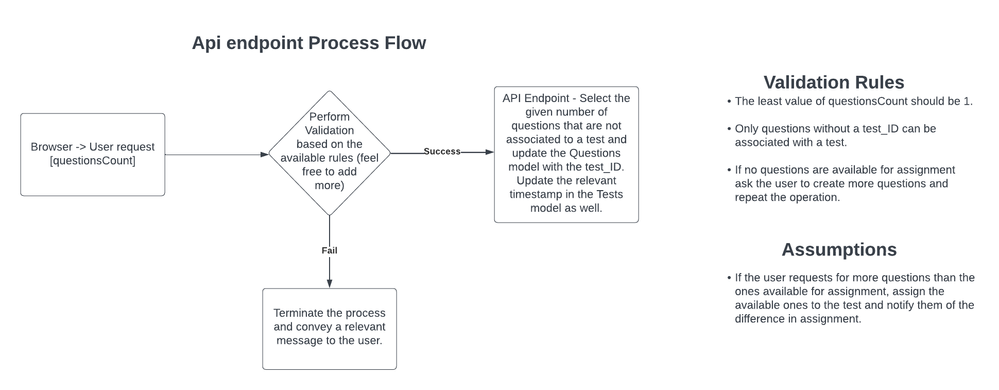
We now want to implement an API endpoint that will allow a user to provide the number of questions they wish to associate with a test, from the browser. We will then process that by selecting the given number of questions (yet to be associated with a test) from our currently existing questions model and associate/link them to a test automatically.
Note: A question cannot be used in more than one test.
Below is a process flow diagram of the API endpoint to be implemented:
Task Outline
Our goal is to implement an API layer that will later connect our back-end to the front-end. After implementation, we need to expose the API to allow front-end components seamlessly access it.
What is an action?
An action can be defined as an operation to be performed on one or several entities within a service, which allows for definition of custom behavior or functionality based on the business rules. There are two main types of actions in OData: Bound and Unbound.
Difference between bound and unbound actions
Bound actions are associated with a specific entity type and can only be invoked on instances of that entity type. Unbound actions on the other hand are not tied to any specific entity type and can be invoked independently on any particular entity instance. Unbound actions are mostly used to perform operations that do not require a specific entity context.
We are therefore interested in a bound action as we would like to perform operations related to the Tests entity instance.
Steps
- In the srv directory, create a file named cat-service.js. Copy the following lines of code and paste them in the file:
const cds = require('@sap/cds')

module.exports = class DevChallengeService extends cds.ApplicationService {
    init() {
        return super.init()
    }

    // TODO: Implement the bound action: assignQuestionsToTest
}
2. Implement a bound action named assignQuestionsToTest in the cat-service.js file we just created. This action should contain the logic explained and illustrated in the API endpoint Process Flow diagram above.
Note: the questionsCount value is passed as a parameter to the assignQuestionsToTest action.
3. In the action implementation, return a string with the message you want conveyed to the user based on the result of the action execution. Example: “2 questions successfully added to the test”.
4. Define the bound action - assignQuestionsToTest in srv/cat-service.cds file.
Resources:
Read more on bound and unbound actions (11.5.4.1 Invoking an Action)
Task Checklist – post screenshot in the reply section
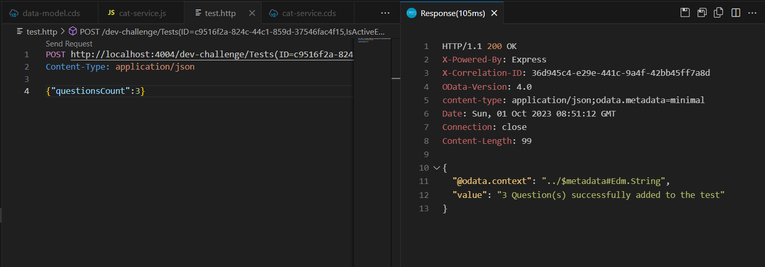
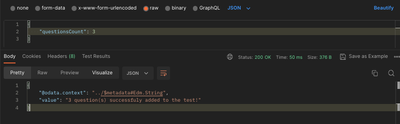
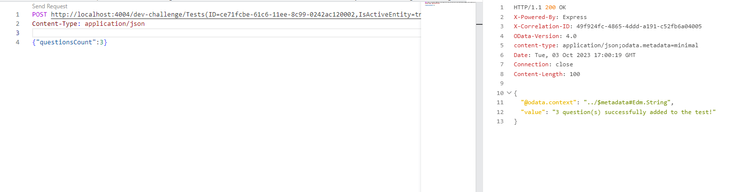
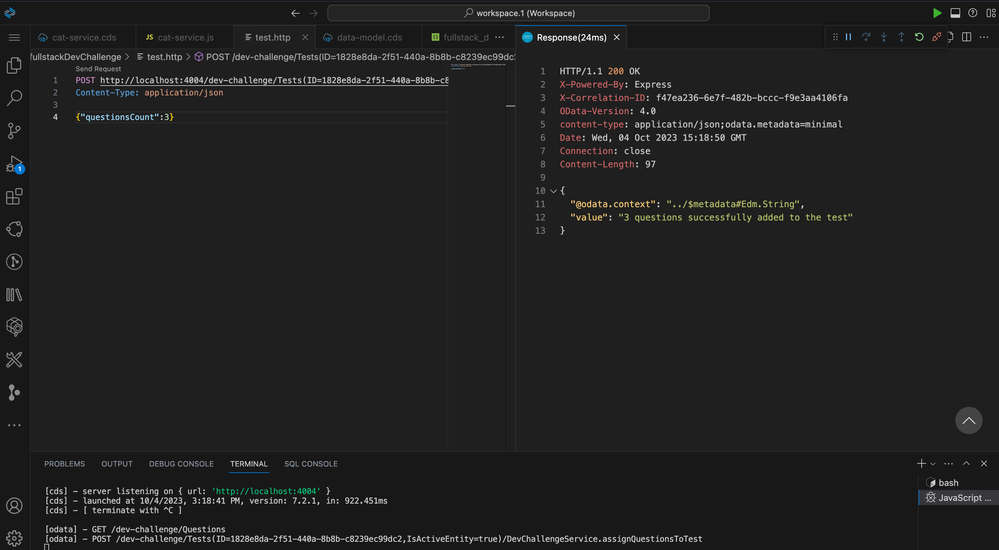
Create a file named test.http in the root directory of our project. Copy and paste the following code that will enable you to make an API call. Feel free to use other tools to test the endpoint.
Replace YOUR_TEST_ID in the link with one of the test IDs you manually populated in week 1.
POST http://localhost:4004/dev-challenge/Tests(ID=YOUR_TEST_ID,IsActiveEntity=true)/DevChallengeService.assignQuestionsToTest
Content-Type: application/json

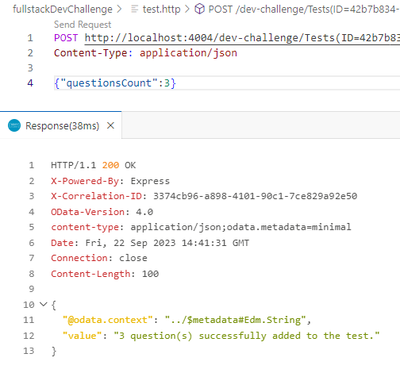
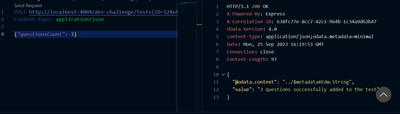
{"questionsCount":3}
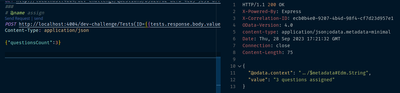
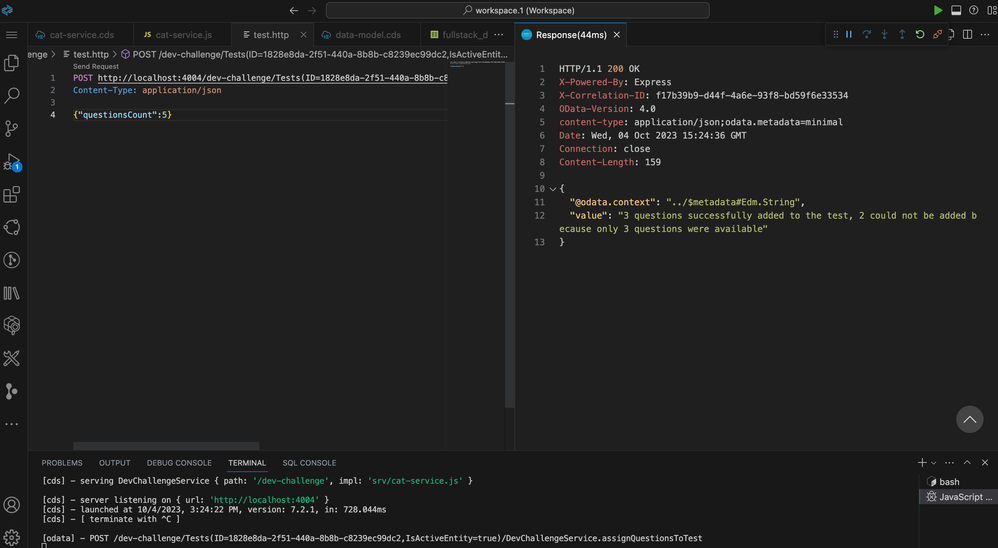
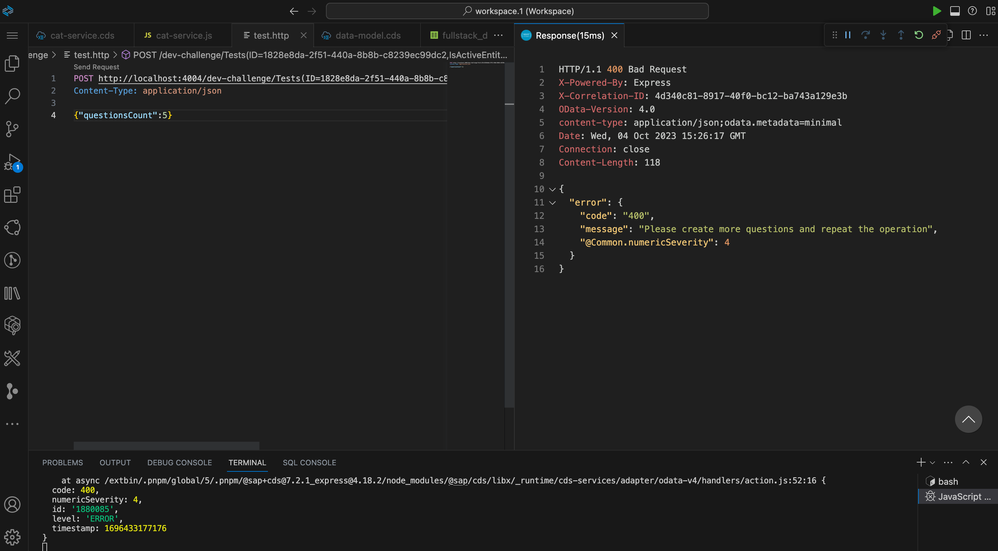
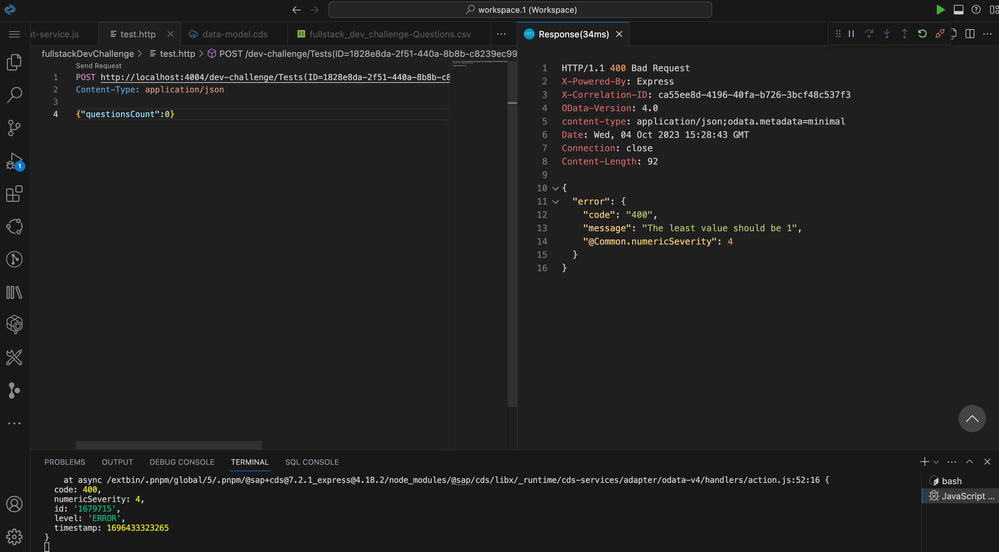
Click on Send Request to make a call to the implemented endpoint. The response should return a HTTP 200 status code with a message (the message can vary depending on the number of questions requested, the state of your data and validation status).

- Labels:
-
Developer Advocates
 Bluesky
- Mark as New
- Bookmark
- Subscribe
- Mute
- Subscribe to RSS Feed
- Permalink
- Report Inappropriate Content
2023 Sep 21 4:21 PM
- SAP Managed Tags
- SAP Cloud Application Programming Model
- JavaScript
- Node.js
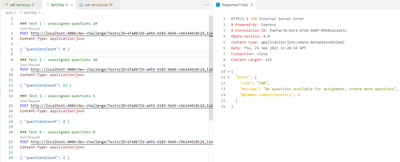
After Test 2

After Test 3
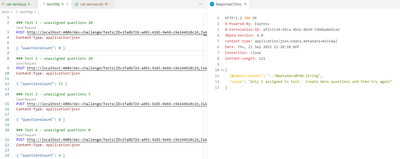
After Test 4

- Mark as New
- Bookmark
- Subscribe
- Mute
- Subscribe to RSS Feed
- Permalink
- Report Inappropriate Content
2023 Sep 22 3:44 PM

- Mark as New
- Bookmark
- Subscribe
- Mute
- Subscribe to RSS Feed
- Permalink
- Report Inappropriate Content
2023 Sep 25 5:25 PM
- SAP Managed Tags
- SAP Cloud Application Programming Model
- JavaScript
- Node.js
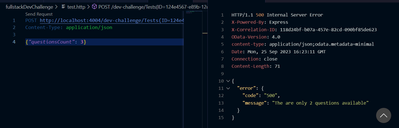
Assign too many questions:

- Mark as New
- Bookmark
- Subscribe
- Mute
- Subscribe to RSS Feed
- Permalink
- Report Inappropriate Content
2023 Sep 28 6:22 PM

- Mark as New
- Bookmark
- Subscribe
- Mute
- Subscribe to RSS Feed
- Permalink
- Report Inappropriate Content
2023 Sep 29 1:26 AM
- SAP Managed Tags
- SAP Cloud Application Programming Model
- JavaScript
- Node.js
Hello!
Here is my submission for week 2:
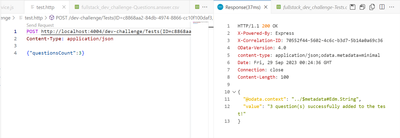
Thanks!

- Mark as New
- Bookmark
- Subscribe
- Mute
- Subscribe to RSS Feed
- Permalink
- Report Inappropriate Content
2023 Oct 01 9:53 AM

- Mark as New
- Bookmark
- Subscribe
- Mute
- Subscribe to RSS Feed
- Permalink
- Report Inappropriate Content
2023 Oct 02 9:22 PM

- Mark as New
- Bookmark
- Subscribe
- Mute
- Subscribe to RSS Feed
- Permalink
- Report Inappropriate Content
2023 Oct 03 5:06 AM

- Mark as New
- Bookmark
- Subscribe
- Mute
- Subscribe to RSS Feed
- Permalink
- Report Inappropriate Content
2023 Oct 03 6:03 PM - edited 2023 Oct 03 6:07 PM

- Mark as New
- Bookmark
- Subscribe
- Mute
- Subscribe to RSS Feed
- Permalink
- Report Inappropriate Content
2023 Oct 04 4:30 PM

- Mark as New
- Bookmark
- Subscribe
- Mute
- Subscribe to RSS Feed
- Permalink
- Report Inappropriate Content
2023 Oct 05 1:32 AM
- SAP Managed Tags
- SAP Cloud Application Programming Model
- JavaScript
- Node.js
Hi!,
These are my results and thanks for this challenge. It has been really producive.
1/5

2/5
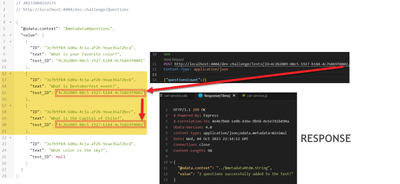
3/5

4/5
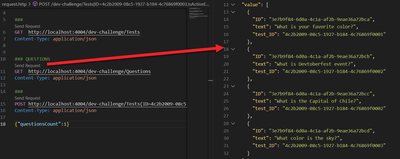
5/5
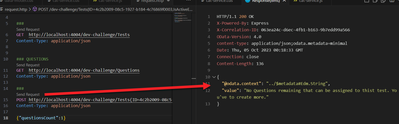

- Mark as New
- Bookmark
- Subscribe
- Mute
- Subscribe to RSS Feed
- Permalink
- Report Inappropriate Content
2023 Oct 05 9:01 PM
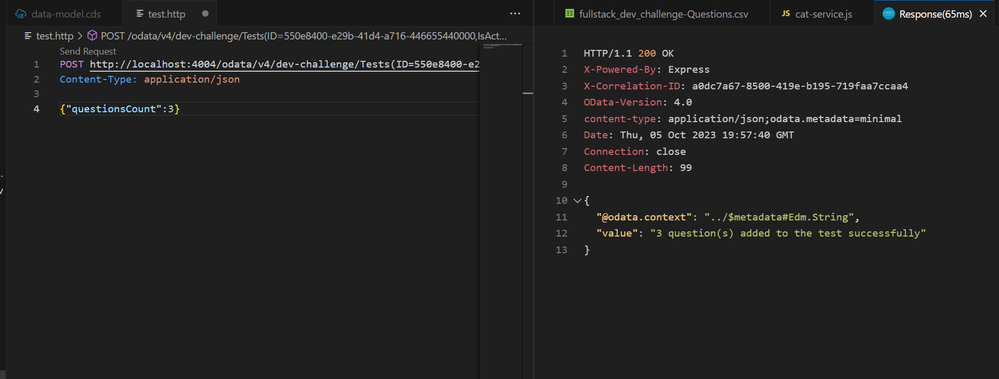

- Mark as New
- Bookmark
- Subscribe
- Mute
- Subscribe to RSS Feed
- Permalink
- Report Inappropriate Content
2023 Oct 18 10:30 PM
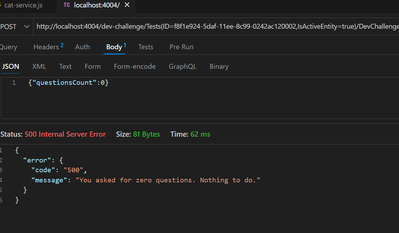
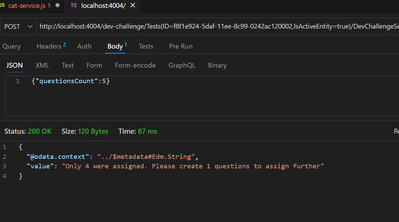

- Mark as New
- Bookmark
- Subscribe
- Mute
- Subscribe to RSS Feed
- Permalink
- Report Inappropriate Content
2024 Mar 19 3:06 PM


| User | Count |
|---|---|
| 8 | |
| 4 | |
| 1 | |
| 1 | |
| 1 | |
| 1 | |
| 1 | |
| 1 | |
| 1 | |
| 1 |


